
Overview
Once a subscription is canceled, it does not renew automatically. This document explains how to cancel a Gravity Flow subscription to prevent auto-renewal.
Cancelling from your Gravity Flow account
- Log in to your Gravity Flow account.
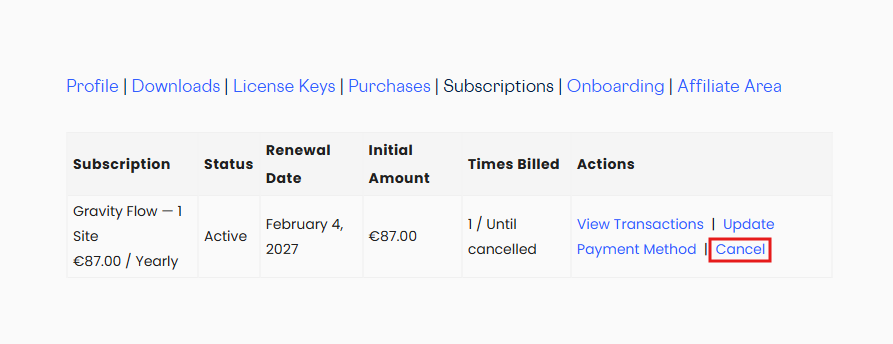
- Go to the Subscriptions tab,
- Click on the Cancel link for the subscription you want to cancel.
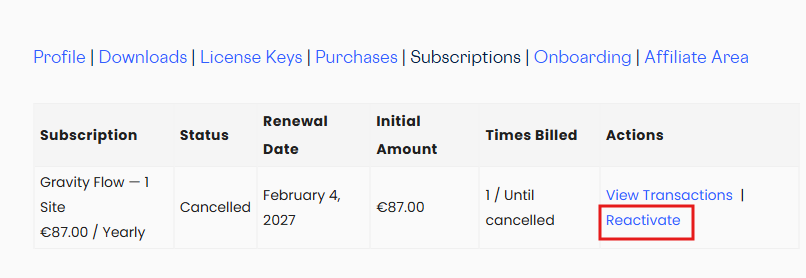
- Once the subscription is canceleld the Cancel link will change to Reactivate
Cancelling by creating a support ticket
Create a support ticket with details of the subscription you intend to cancel.