
Overview
This article explains how to reactivate a canceled subscription or renew an expired license from your Gravity Flow account.
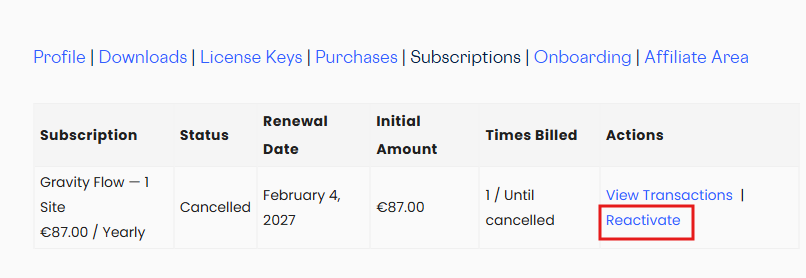
Restart a canceled subscription
- Log in to your Gravity Flow account at gravityflow.io/account.
- Go to the Subscriptions tab.
- Click Reactivate next to the subscription you want to restart.
Renew an expired License
- Log in to your Gravity Flow account at gravityflow.io/account.
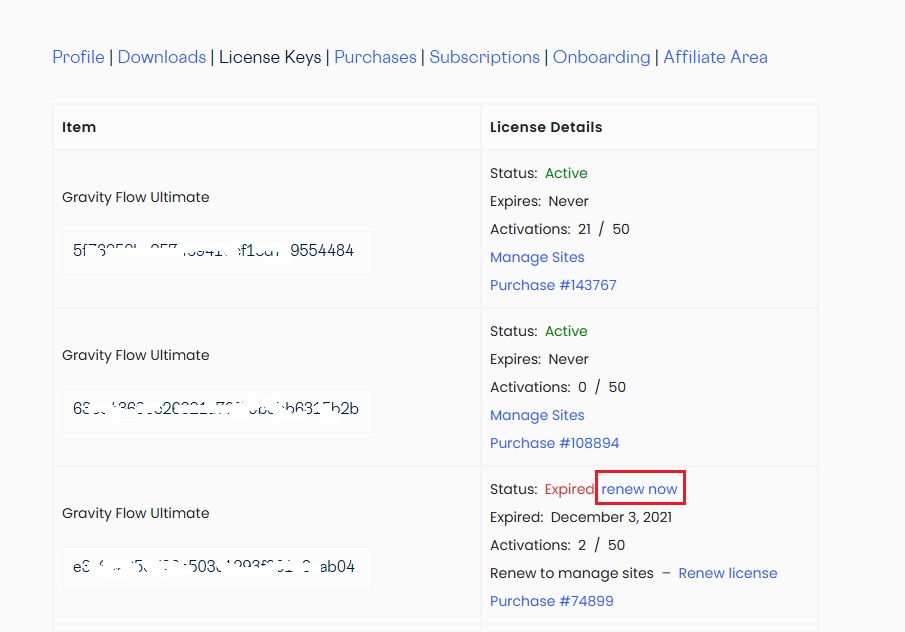
- Go to the License Keys tab.
- Click Renew Now next to the expired license.
- Complete payment on the checkout page to renew the license.
Need help?
If you need assistance renewing a license or reactivating a subscription, please contact support.