
Overview
The Pods Gravity Forms Add-On saves Gravity Forms submissions to Pods content types through a feed.
Requirements
- Gravity Flow 2.5.10 or later
- Pods
- Pods Gravity Forms Add-On, with at least one feed set up on the form
Gravity Flow Integration
When a workflow includes a Pods step, the selected Pods feeds don’t run when the form is submitted. They run when the workflow reaches the step, so content is only saved to Pods after approvals, reviews or other workflow stages.
Creating a Pods Workflow Step
- From the Form Editor screen, navigate to Settings → Workflow.
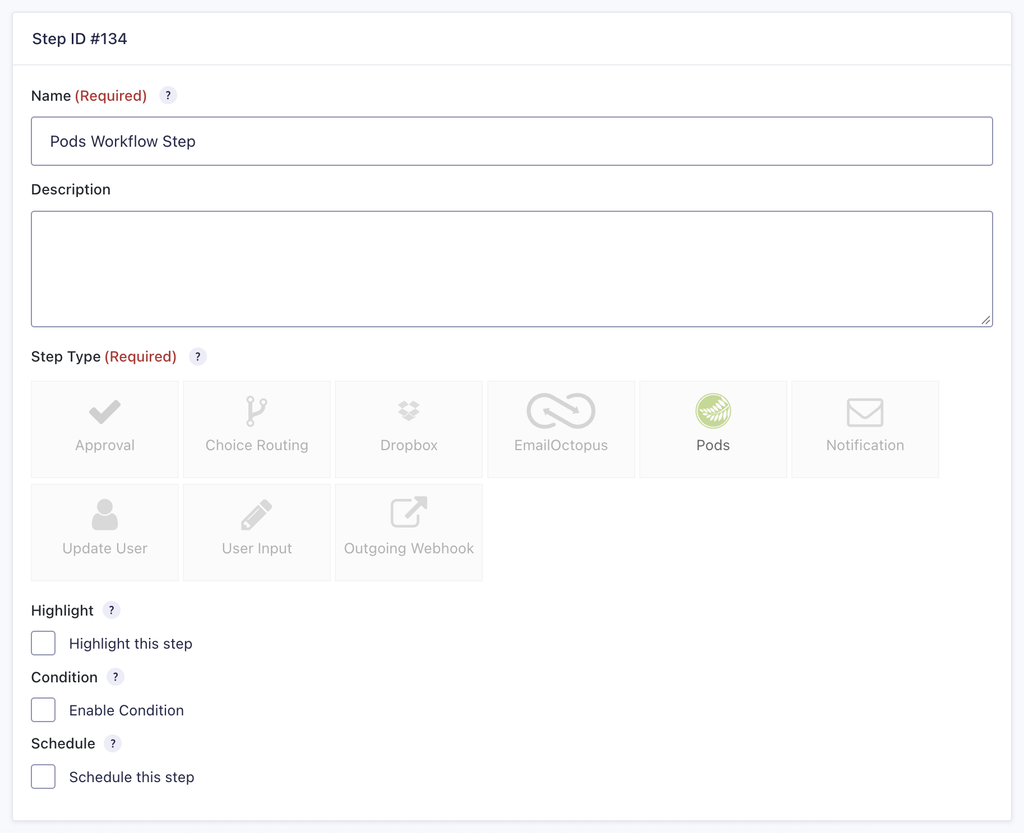
- Click Add New Step and set a Name for the step.
- Choose Pods as the Step Type.
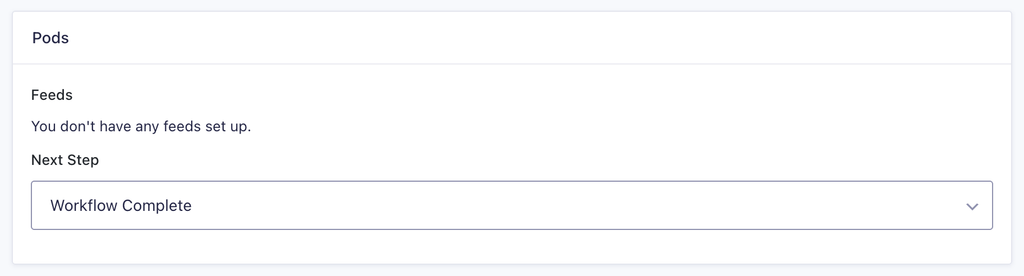
- Under Feeds, select the Pods feeds to run on this step.
- Click Update Step Settings to save the step.
[SCREENSHOT PLACEHOLDER: Pods step settings with the Feeds setting]
Pods Step Settings Reference
| Setting | Description |
|---|---|
| Name | Defines the workflow step name used to identify it within the workflow. Required |
| Description | Provides a short description of what the step does. |
| Step Type | Defines this step as a Pods step. Required |
| Highlight | Highlights this step to visually emphasize it in the workflow. |
| Condition | Enables a condition to determine whether the step will run. |
| Schedule | Delays execution of the step based on a configured schedule. |
| Feeds | Selects which Pods feeds to run on this step. Required |
| Next Step | Defines the next step in the workflow sequence. |