
Overview
This demo shows how the Gravity Flow Checklists extension gives applicants a single page to track what they have submitted, what remains, and the order in which it was submitted, using a university application process as the example scenario.
What this demo does
An applicant works through a series of forms that together make up a complete application. From a single checklist page, they can see which forms are done, which remain, and whether they must be completed in order. The demo includes two display styles: sequential with a horizontal layout, and any-order with a vertical list layout.
How it is built
The forms are individual Gravity Forms, each with its own workflow in which different steps are completed by assignees or automated.
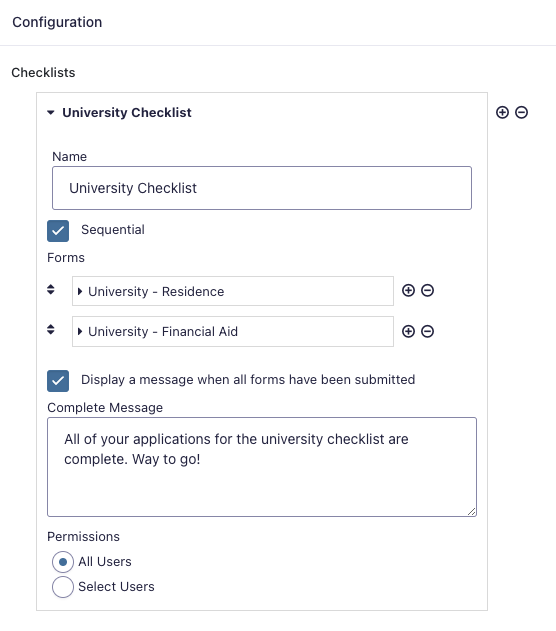
The checklist is configured in the Checklists extension settings, which define which forms are included and whether completion must be sequential. A single page on the site hosts the checklist block or shortcode, providing applicants with a single location to complete all required submissions and monitor their progress.

Try it yourself
Start the university application checklist in either display style. Submit the first form and observe how the checklist updates, then work through the remaining forms. Review the checklist configuration under Workflow > Settings > Checklists in the dashboard.