
Description
The gravityflow_feed_condition_entry_properties filter allows developers to customize the list of entry properties that are available for use in feed conditional logic within Gravity Flow.
Usage
add_filter('gravityflow_feed_condition_entry_properties', 'my_custom_function', 10, 2);
Parameters
| Parameter | Type | Details |
|---|---|---|
| $properties | array | The array of entry property definitions. |
| $form_id | integer | The current form array. |
Examples
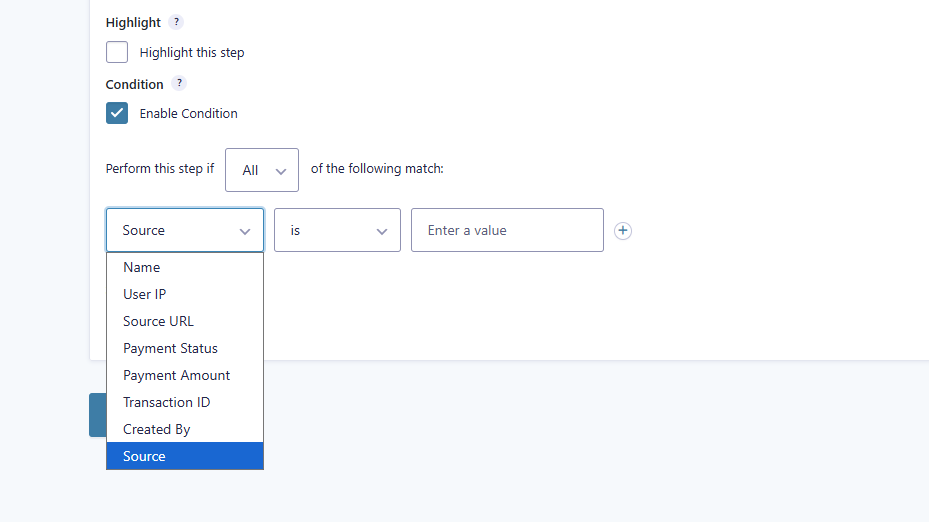
Add the meta key source to the Step Conditional Logic dropdown.
add_filter('gravityflow_feed_condition_entry_properties', 'sb_gravityflow_feed_condition_entry_properties', 10, 2);
function sb_gravityflow_feed_condition_entry_properties($properties, $form_id) {
    if ($form_id != 33) {
        return $properties;
    }

    $custom_property = array(
        'source' => array(
            'label' => esc_html__('Source', 'gravityflow'),
            'filter' => array(
                'operators' => array('is', 'isnot', '>', '<', 'contains'),
            ),
        )
    );

    return array_merge($properties, $custom_property);
}
Placement
This code can be used in the functions.php file of the active theme, a custom functions plugin, a custom add-on, or with a code snippets plugin.
See also the PHP section in this article: Where Do I Put This Code?
Source Code
This filter is located in plugins/gravityflow/class-gravity-flow.php