
Description
The gravityflow_shortcode_{page} filter allows developers to modify the HTML output of Gravity Flow shortcodes for specific pages (inbox, status, submit and reports). Refer to the Shortcode article for more information about available shortcodes and usage.
Usage
add_filter( 'gravityflow_shortcode_inbox', 'your_function_name', 10, 3 );
Replace inbox with the desired page slug (e.g., status, reports, etc.).
Parameters
| Parameter | Type | Details |
|---|---|---|
| $html | string | The HTML output generated by the shortcode for the specified page. |
| $atts | array | The attributes passed to the shortcode. |
| $content | string | The content between the shortcode tags, if any. |
Examples
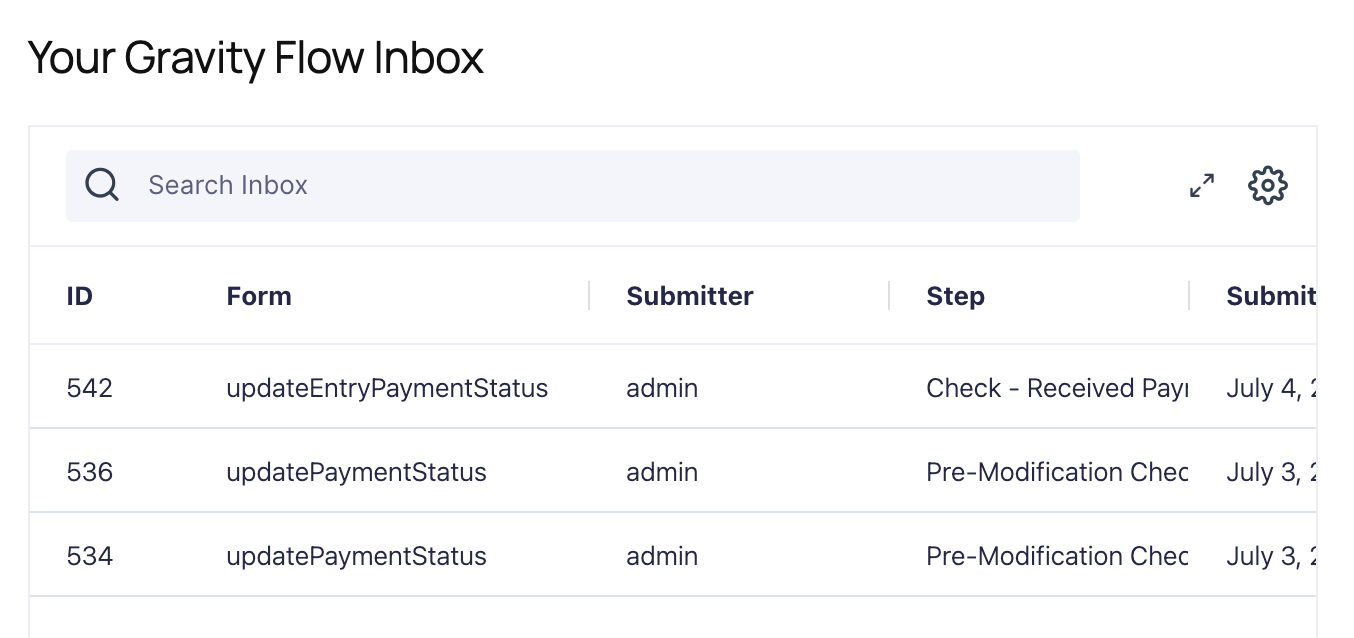
Modify the HTML output of the inbox shortcode.
add_filter( 'gravityflow_shortcode_inbox', 'gfw_custom_gravityflow_inbox_html', 10, 3 );
function gfw_custom_gravityflow_inbox_html( $html, $atts, $content ) {
    // Prepend a custom message to the inbox page
    $html = '<div class="custom-message"><h3>Your Gravity Flow Inbox</h3></div>' . $html;
    return $html;
}
Placement
This code can be used in the functions.php file of the active theme, a custom functions plugin, a custom add-on, or with a code snippets plugin.
See also the PHP section in this article: Where Do I Put This Code?
Source Code
This filter is located in class-gravity-flow.php