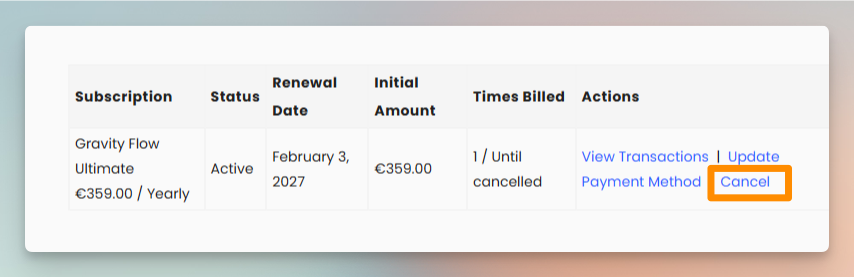
As per our terms, subscriptions are renewed automatically until canceled. Your subscription can be canceled straight from your account area on https://gravityflow.io/account with just a few steps:
- Log in using the details you created when you purchased.
- Click on the Subscriptions option to go to the Manage your Subscriptions page.

- Find the active subscription you want to cancel in the table and click Cancel.
- After canceling a subscription, we recommend you remove the plugin from your website, as plugins that no longer receive updates can pose a security risk.