Overview
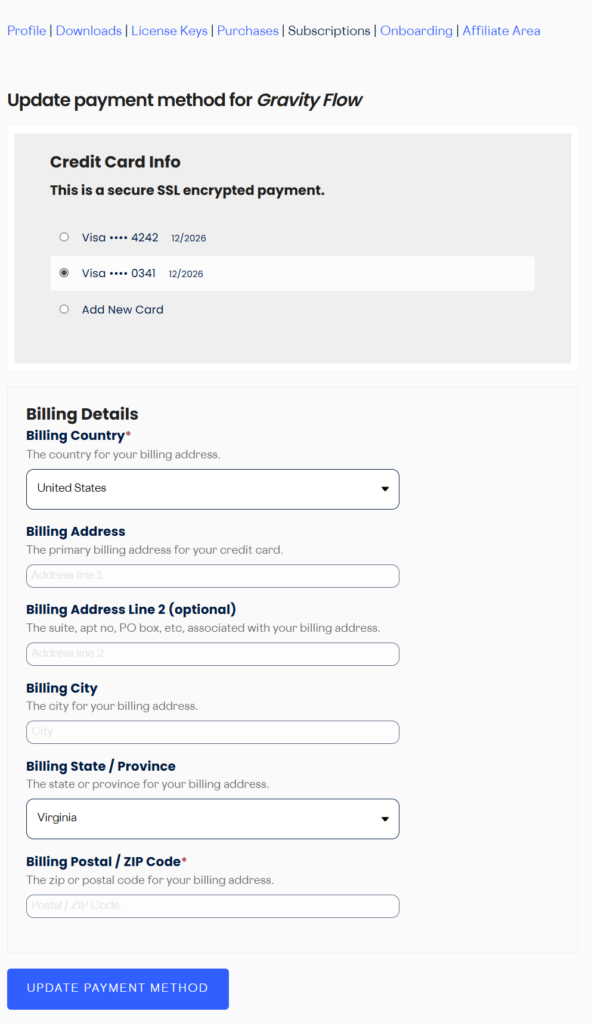
This article explains how to update the payment method for your Gravity Flow account and subscriptions.
Update the Default Payment Method
- Log in to your Gravity Flow account at gravityflow.io/account.
- Go to the Profile tab.
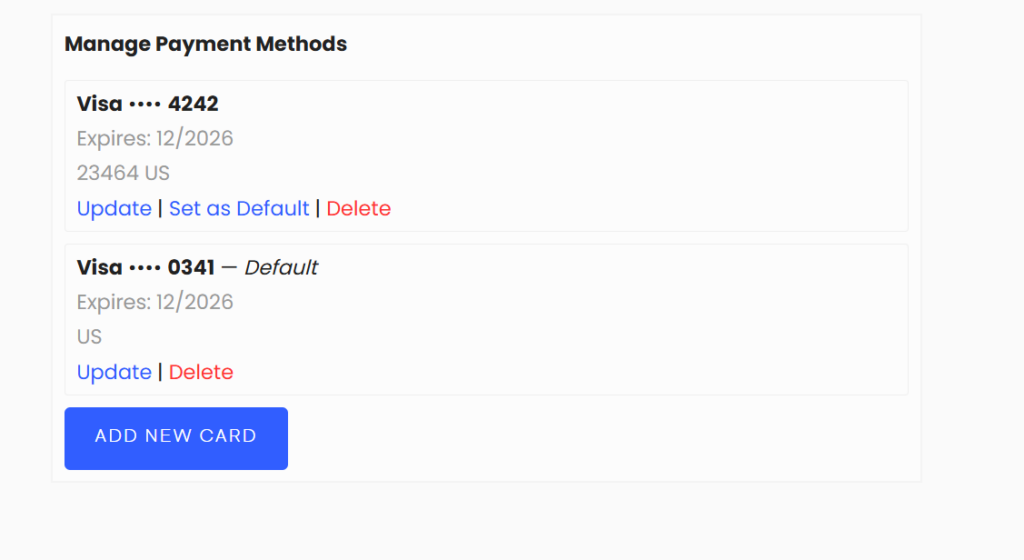
- Scroll down to Manage Payment Methods.
- From here, you can add a new card, update an existing card, set a card as the default, or delete a card.

Update the Payment Method for a Subscription
You can also set a specific payment method for an individual subscription.
- Log in to your Gravity Flow account at gravityflow.io/account.
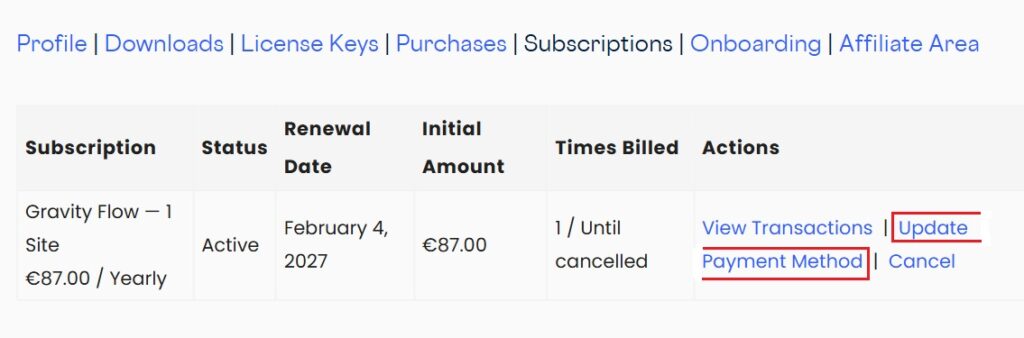
- Go to the Subscriptions tab.
- Click Update Payment Method next to the relevant subscription.
- Enter your new card details and save.
- Add card details