
Description
The gravityflow_assignee_ajax_search_account_threshold filter allows customization of the minimum number of users in a site which would trigger the assignee/conditional routing settings to use the ajax search behaviour. When it is enabled, no users show up in the select field until at least 3 characters are input to trigger the search. The default value is 150 which means that on sites with more than 150 users, ajax search will be enforced by default.
The filter is often used in conjunction with gravityflow_assignee_ajax_search to customize the user limit before the search triggers. The hook applies to all workflow step that require assignee selection including the PDF Generator Extension.
Parameters
| Parameter | Type | Details |
|---|---|---|
| $threshold | Integer | 150 |
Setting Screen Impacts
Assignee – By Select
Without AJAX Search enabled
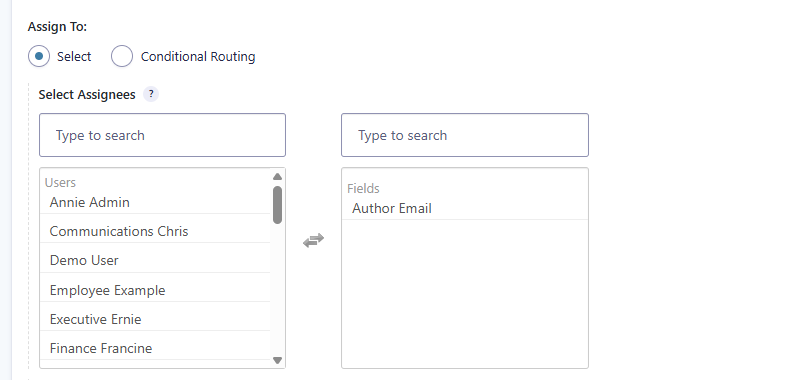
This is what the select Assignees setting will look like on initial step load if your site has less than 150 users or you use this filter to customize the value to be higher than the number of users in your site.
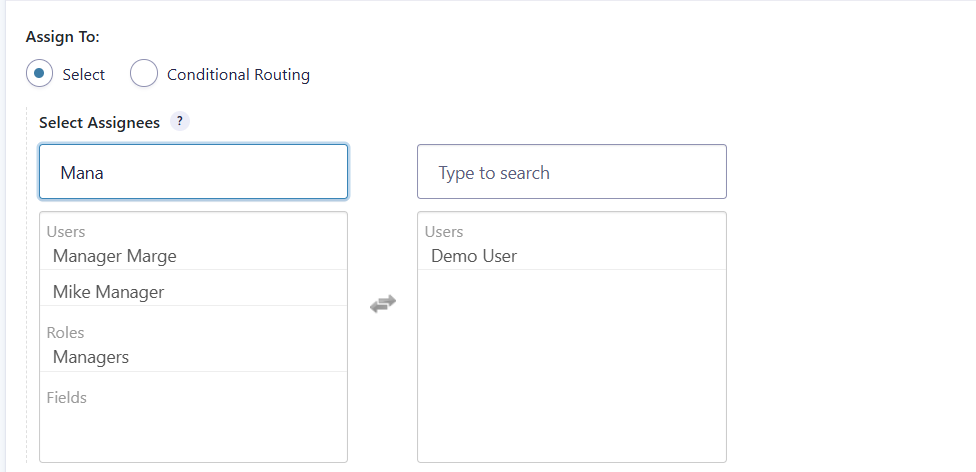
After performing a search, all 3 assignee types (users, roles, fields) will be filtered based on your provided search term.
With AJAX search enabled
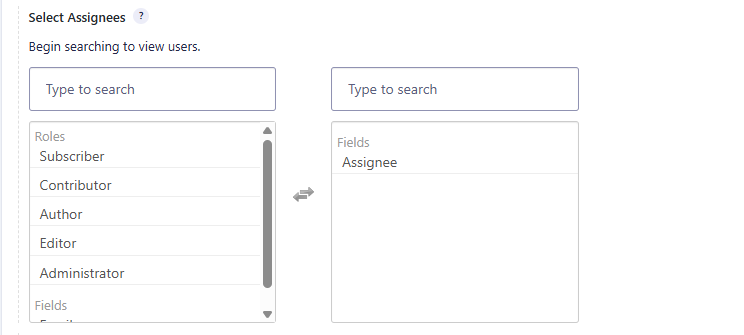
This is what the select Assignees setting will look like on an initial step load if your site has more than 150 users or you use this filter to customize the value lower than the number of users in your site.
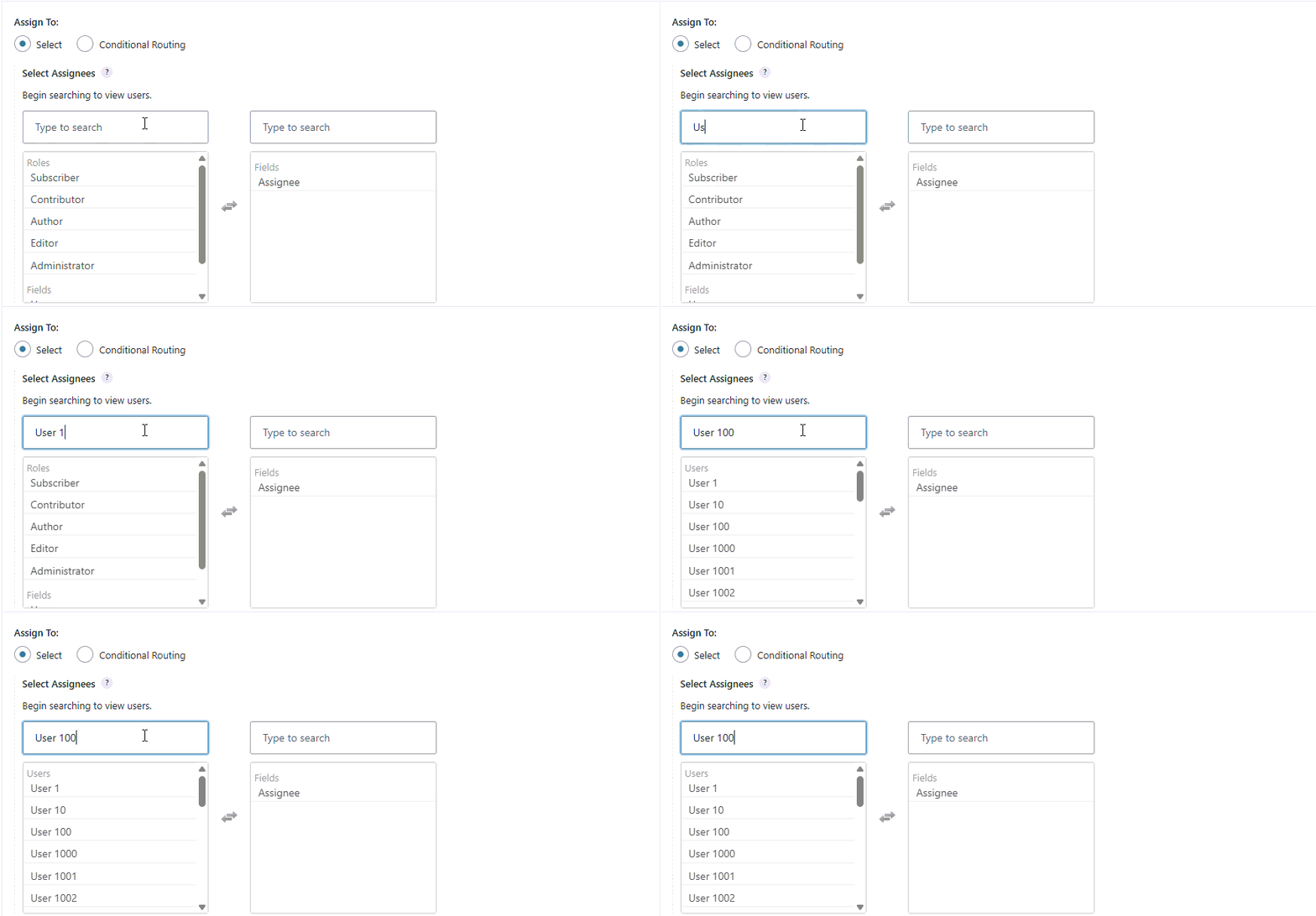
After performing a search, the left side will filter in the same fashion but it is making an API call to identify only the users which match your provided search term.
Assignee – By Conditional Routing
Without AJAX Search enabled
This is what the Conditional Routing setting will look like on initial step load if your site has less than 150 users or you use this filter to customize the value to be higher than the number of users in your site.
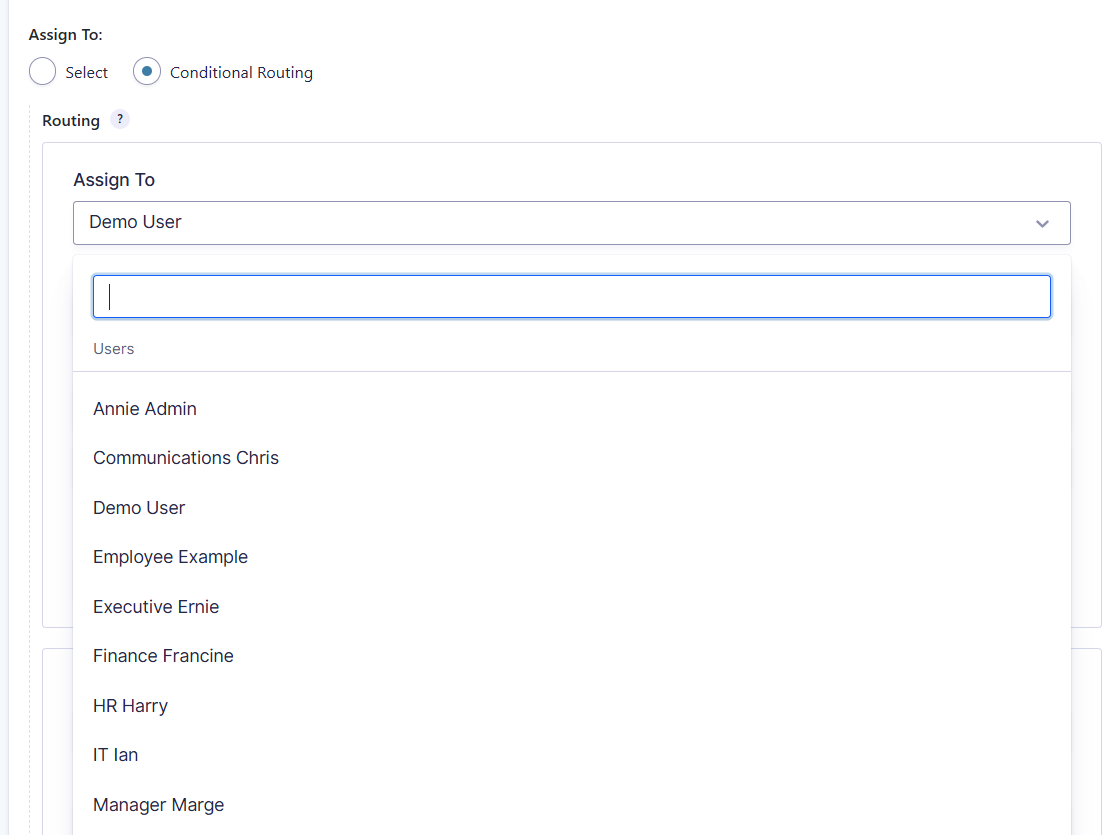
After performing your search the dropdown will only show users, roles or field potential assignees that match your search criteria or selections that you have previously used within that particular step setting making it easy to change between assignee settings for testing purposes.

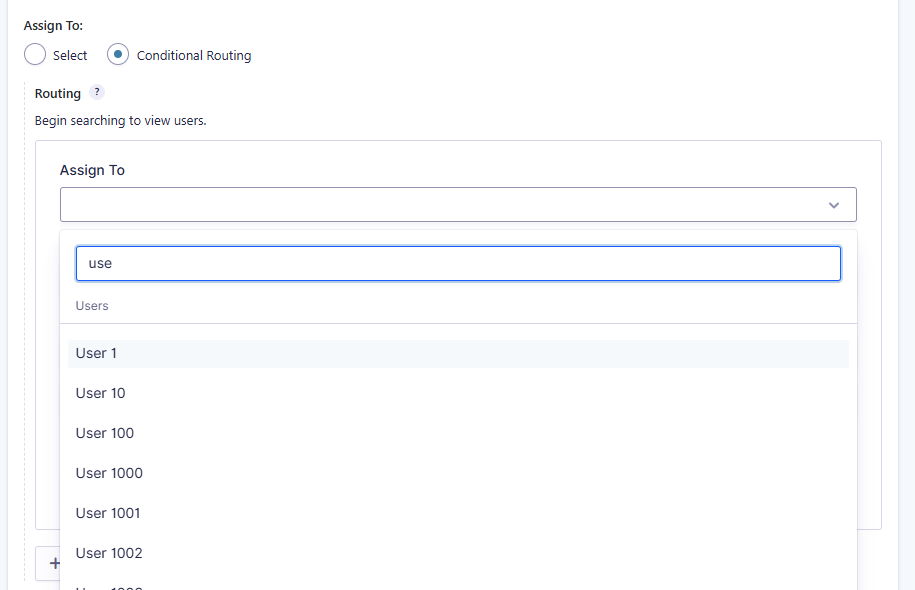
With AJAX search enabled
This is what the Conditional Routing setting will look like on initial step load if your site has more than 150 users or you use this filter to customize the value to be higher than the number of users in your site.
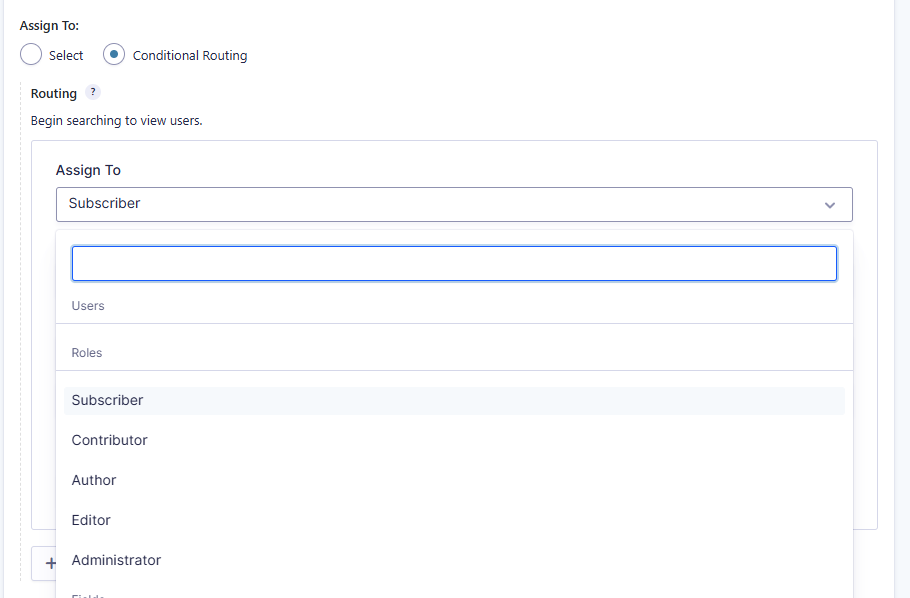
After performing the search.
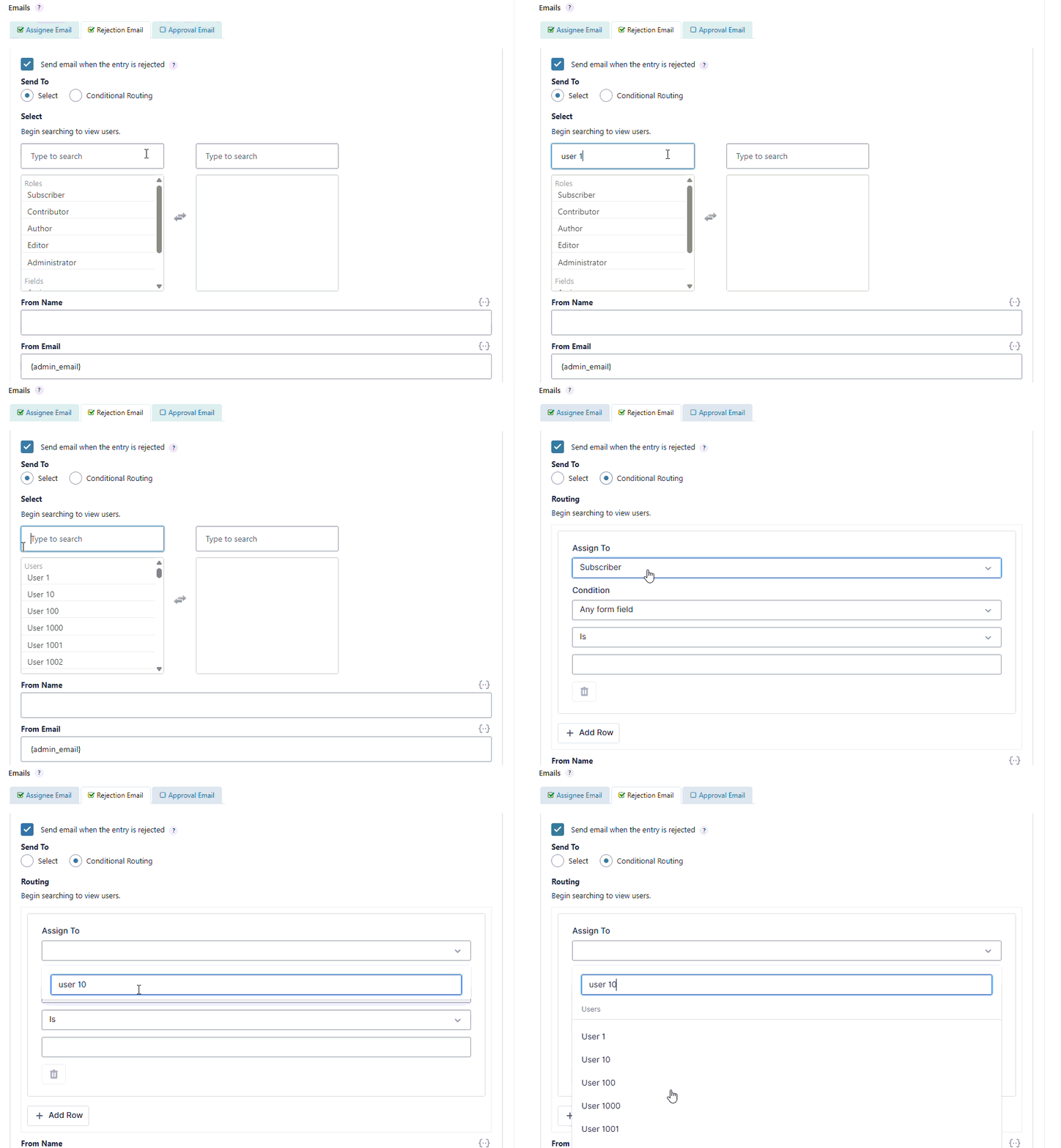
Step Notifications
All of the above also applies to workflow step notifications and the PDF Generator Workflow step. Below is an example screenshot of the Rejection Email of the Approval step for sites with more than 150 users or the hook restricting the threshold less than 150.
Examples
Lower the account threshold
add_filter( 'gravityflow_assignee_ajax_search_account_threshold', 'lower_flow_assignee_search_threshold', 10, 1 );
function lower_flow_assignee_search_threshold( $threshold ) {
	return 25;
}
When a threshold is applied, users only appear once you type in at least 3 characters to the search box.
Placement
This code can be used in the functions.php file of the active theme, a custom functions plugin, a custom add-on, or with a code snippets plugin.
See also the PHP section in this article: Where Do I Put This Code?
Since
This endpoint was added in Gravity Flow 3.0.