
Each field in Gravity Forms has a Visibility setting, found under the Advanced tab in the field settings.
The setting that matters most for Gravity Flow is Administrative. Fields set to Administrative are hidden from the form’s front end, so they are never shown to the person filling it out. However, they are fully available in workflow steps, where they can be included as display fields or editable fields. This makes them a good choice for capturing input or feedback from workflow assignees without exposing those fields to the original submitter.
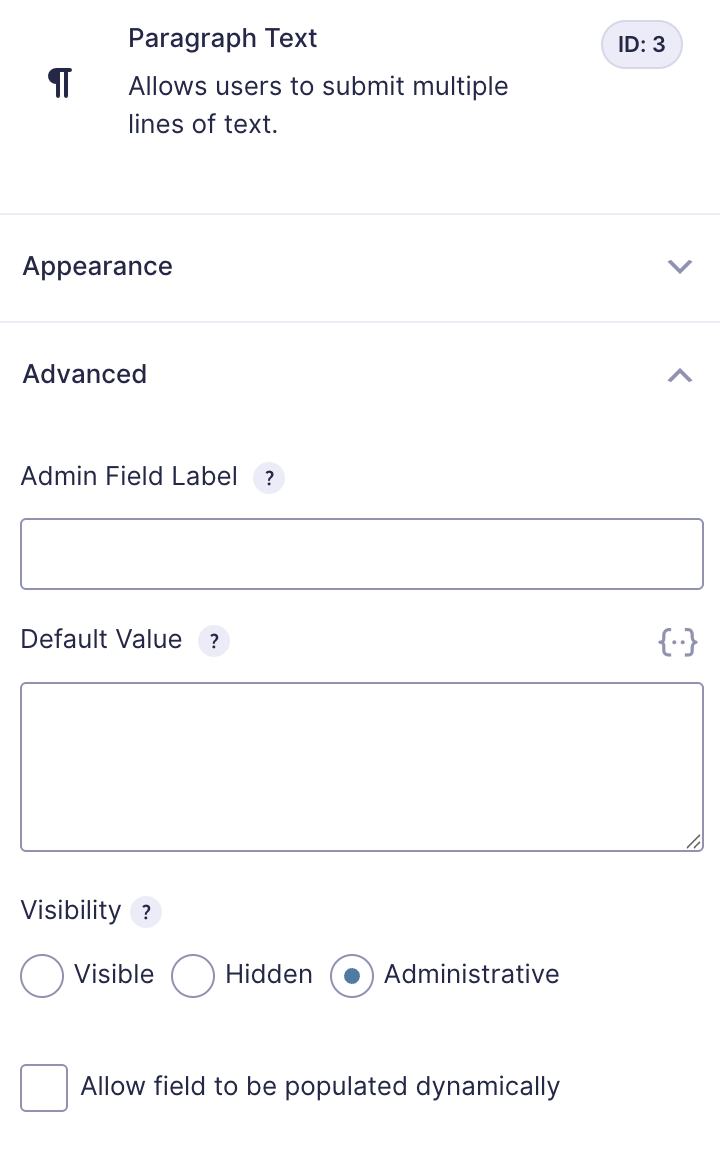
The other two options, Visible and Hidden, work as expected in workflows. Visible fields can be included in any workflow step. Hidden fields are not shown to users but still hold and process data, which can be useful for silently passing values through a workflow.
Refer to the Common Field Settings for more information.