
Introduction
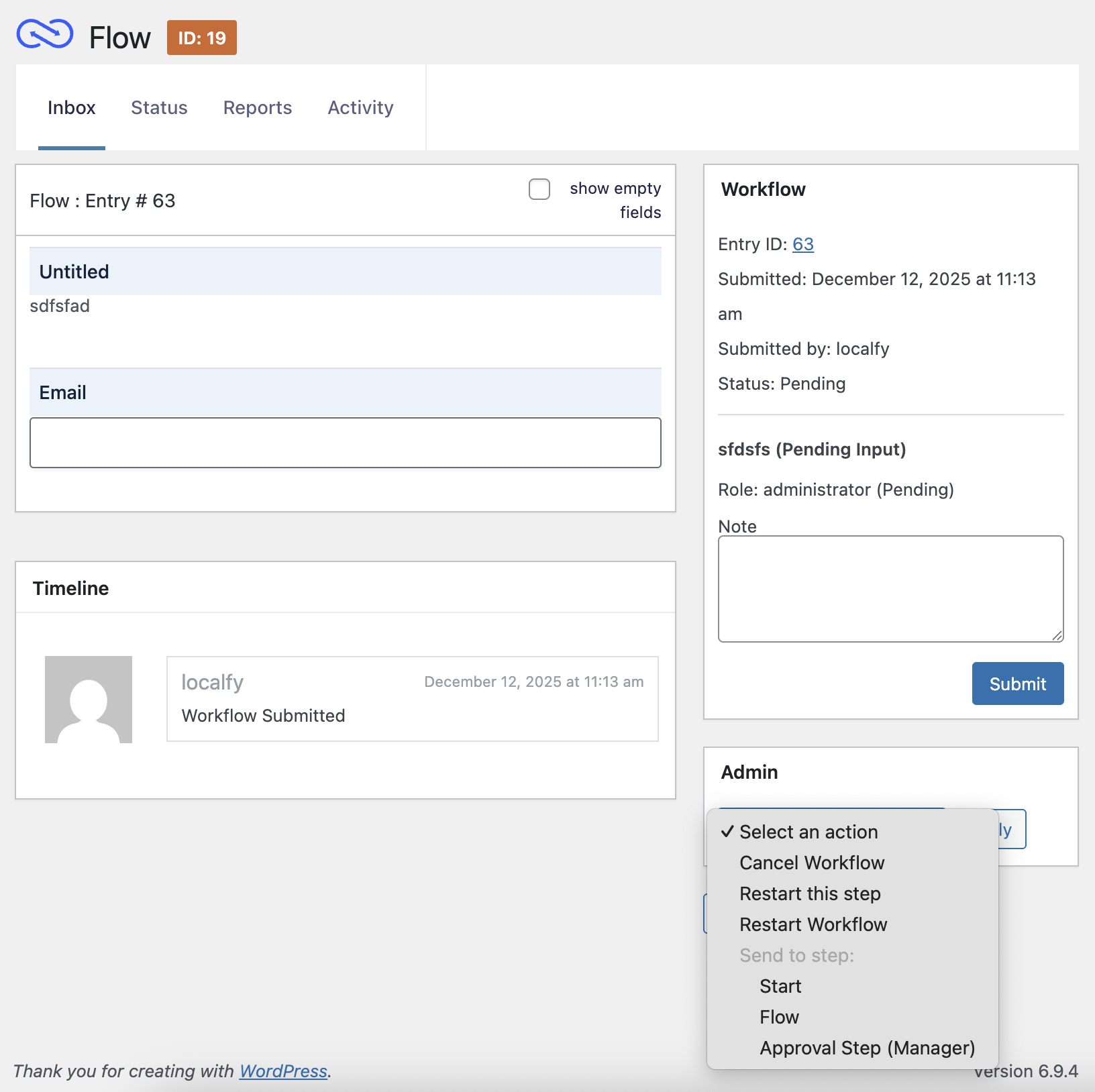
Gravity Forms Administrators can restart a step, restart an entire workflow, cancel the workflow, or send entries to a chosen workflow step for any entry. These actions are available from two locations.
Workflow Detail Page
Administrators will see an Admin Actions box containing the available options for the current entry. Restarting a step or workflow will resend all notifications and trigger feeds as if the step were starting for the first time.
Status Page
Administrators can also restart, cancel, or send workflows to a different step directly from the Status list view. The Send To Step bulk action allows multiple entries to be routed to a chosen workflow step in a single action. This action is only available when the status screen is filtered to a single form. See the Status Page for details.
Note: Users without the Gravity Forms Administrator capability will not be able to see these administrative controls.
See the Status Page article for more information.