
Overview
The Gravity Forms Help Scout Add-On allows you to integrate your forms with your Help Scout account to automatically create customer support tickets from form submissions.
Customer service is a tricky business to get right. With the popular Help Scout platform, you can support your customers and your team to ensure everyone stays informed and satisfied. The Gravity Forms Help Scout Add-On helps streamline this process by turning form entries into actionable support requests.
Gravity Flow Integration
When a workflow includes a Help Scout step, Gravity Flow ensures that the standard post-submission Help Scout feed does not execute automatically. This gives you complete control over when a Help Scout ticket is created in the workflow.
This is ideal for workflows where a ticket should be created only after approvals, reviews, or other steps have taken place.
Creating a Help Scout Workflow Step
To add a Help Scout step to a workflow:
- From the Form Editor screen, navigate to Settings → Workflow.
- Click Add New Step and set a Name for the step.
- Choose Help Scout as the Step Type.
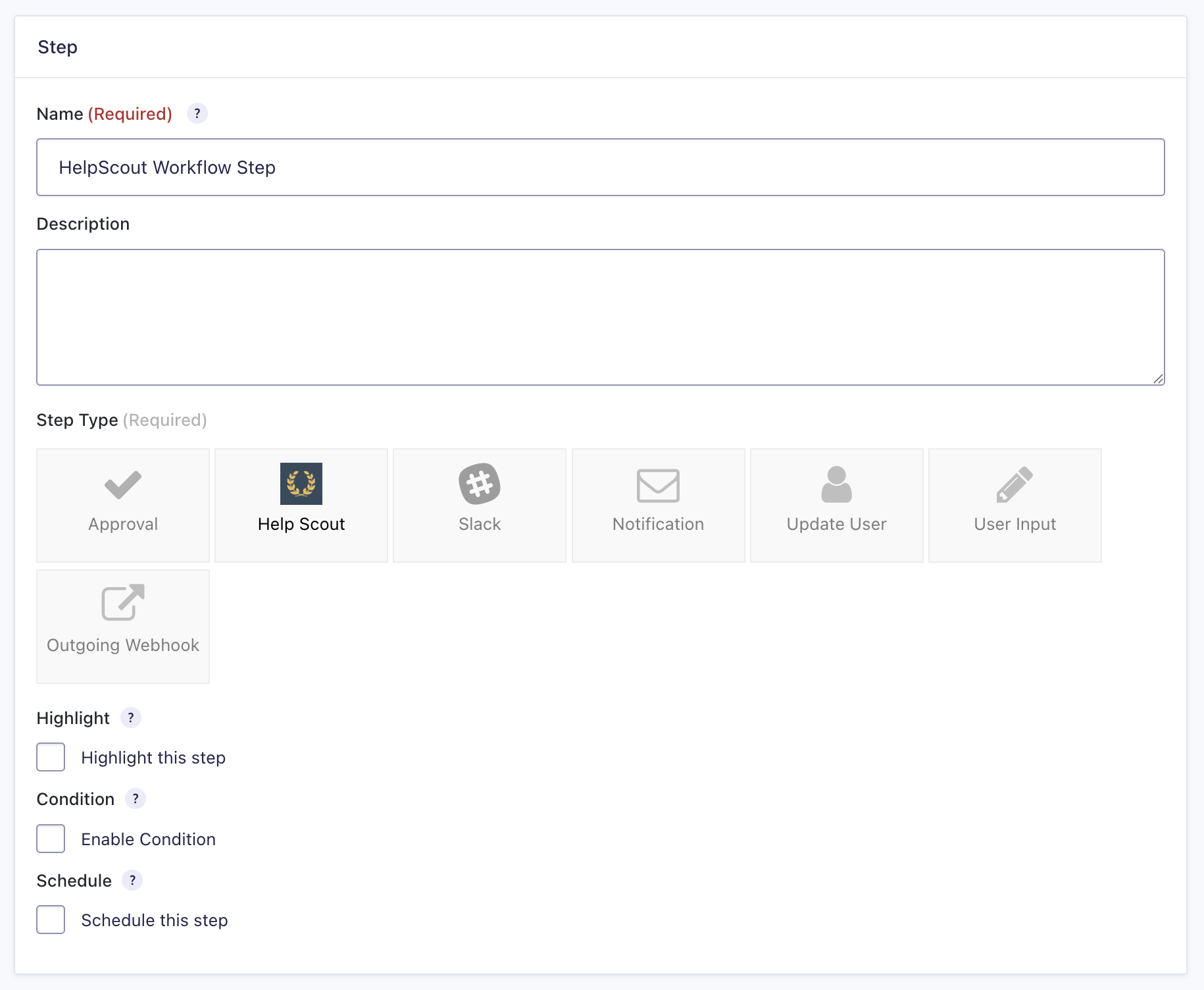
- Select a Help Scout Feed created with the Help Scout Add-On.
- Click Update Step Settings to save the step.
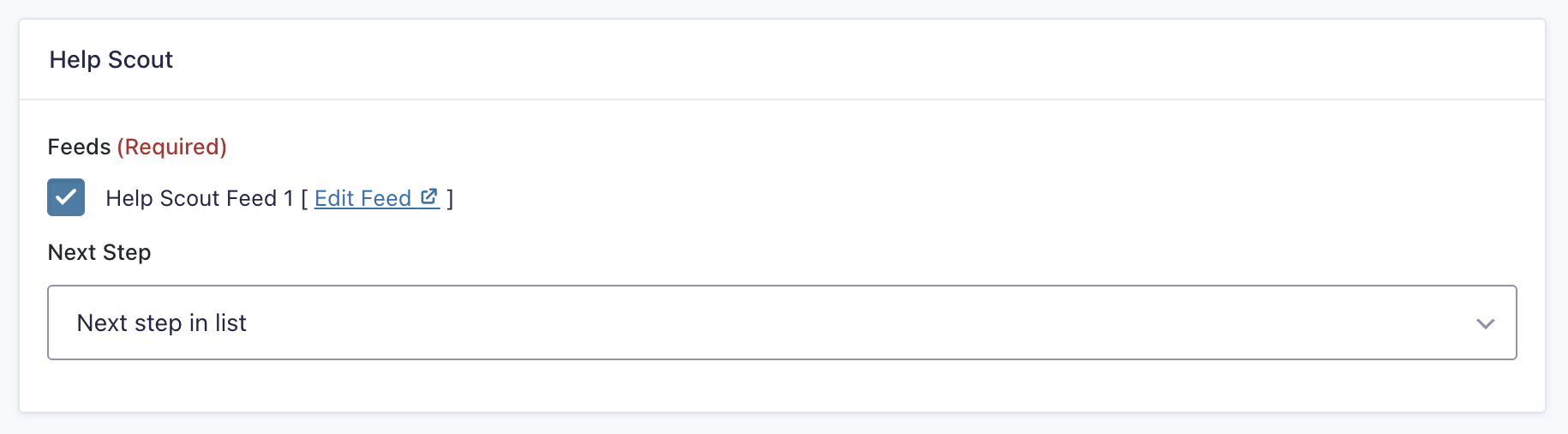
Help Scout Step Settings Reference
| Setting | Description |
|---|---|
| Name | Defines the workflow step name used to identify it within the workflow. Required |
| Description | Provides a short description of what the step does. |
| Step Type | Defines this step as a Help Scout step. Required |
| Highlight | Highlight this step to emphasize it in the workflow visually. |
| Condition | Enables a condition to determine whether the step will run. |
| Schedule | Delays execution of the step based on a configured schedule. |
| Help Scout Feeds | Selects which Help Scout feed to execute for this step. Required |
| Next Step | Defines the next step in the workflow sequence. |