
Overview
The ActiveCampaign Add-On for Gravity Forms allows you to connect your forms with your ActiveCampaign account to automatically send contact data, manage lists, and trigger automations.
Gravity Flow Integration
When a workflow includes an ActiveCampaign step, Gravity Flow ensures that the standard post-submission ActiveCampaign feed does not execute independently of the workflow. This allows you to control when ActiveCampaign actions occur during the workflow process.
Creating an ActiveCampaign Workflow Step
To add an ActiveCampaign step to the workflow:
- From the Form Editor screen, navigate to Settings → Workflow.
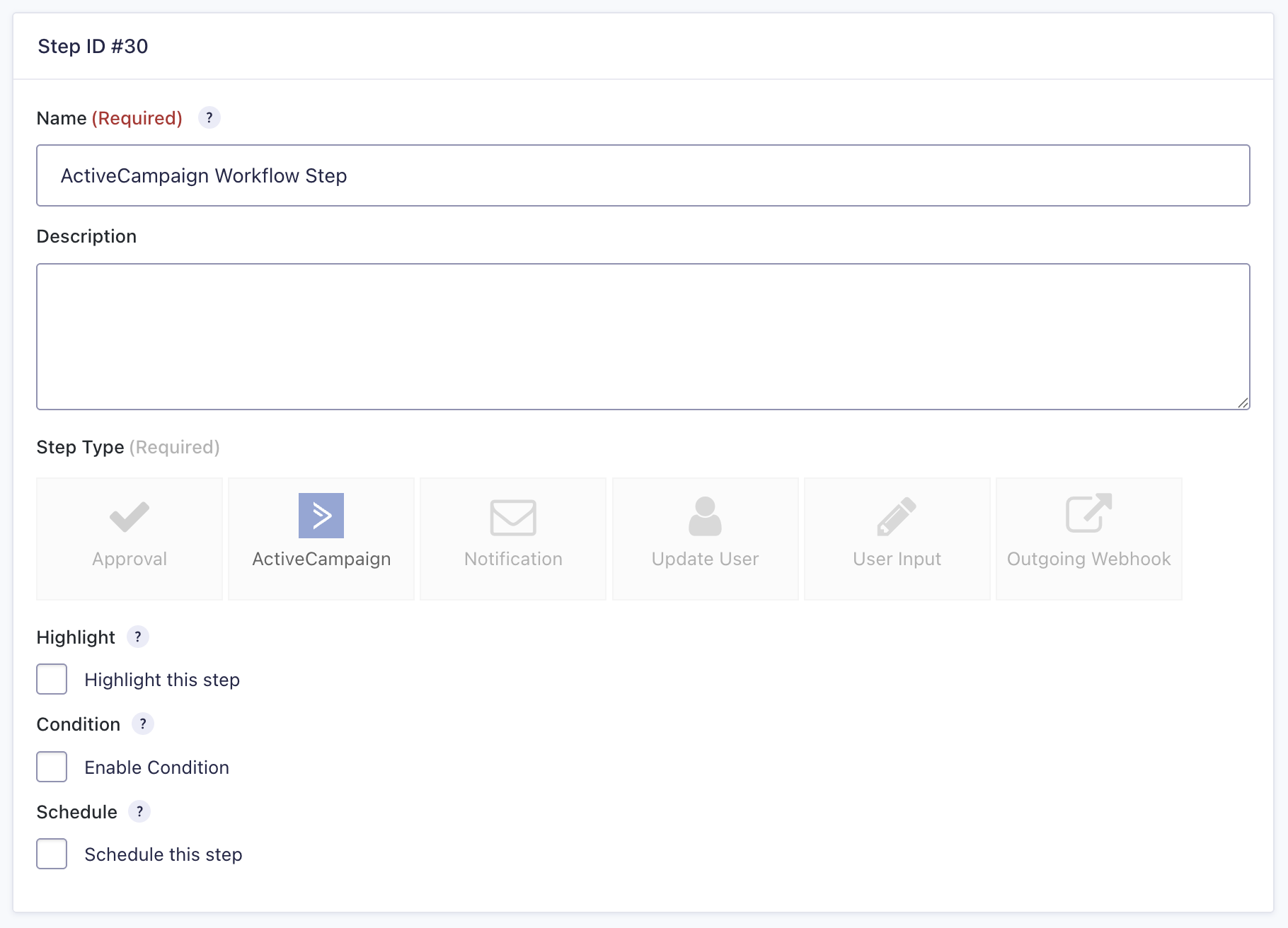
- Select Add New Step and set a Name for the step.
- Choose the ActiveCampaign step as the Step Type.
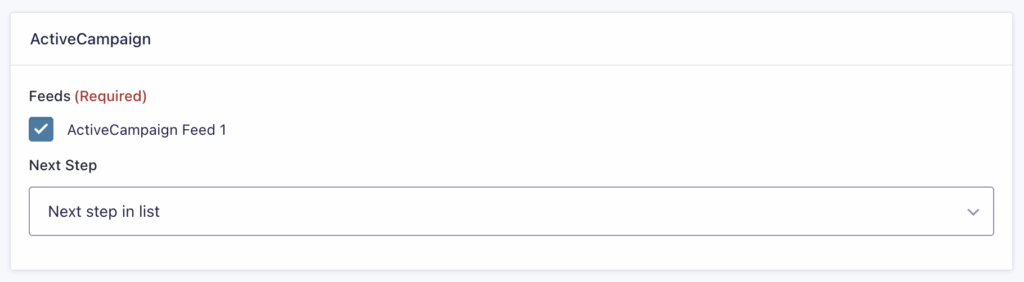
- Select an ActiveCampaign Feed created using the ActiveCampaign Add-On.
- Click Update Step Settings to save the step.
ActiveCampaign Step Settings Reference
| etting | Description |
|---|---|
| Name | Defines the workflow step name used to identify it within the workflow. Required |
| Description | Provides a short description of what the step does. |
| Step Type | Defines this step as an ActiveCampaign step. Required |
| Highlight | Highlight this step to visually emphasize it in the workflow. |
| Condition | Enables a condition to determine whether the step will run. |
| Schedule | Delays execution of the step based on a configured schedule. |
| ActiveCampaign Feed | Selects which ActiveCampaign feed to execute for this step. Required |
| Next Step | Defines the next step in the workflow sequence |