
Introduction
As of Gravity Flow 2.8, Blocks are available for each of the page type shown below as a part of the core plugin. Learn more about Gravity Flow Blocks.
The [gravityflow] shortcode displays the Workflow UI in any WordPress page.
Use the page attribute to display either the inbox, the status page, the reports page or the submit page. Example:
[gravityflow page="inbox"]
[gravityflow page="status"]
[gravityflow page="submit"]
[gravityflow page="reports"]
Note: The shortcodes are intended to be used on different pages, not on the same page.
Once you add the Inbox shortcode to a page, logged-in users will see their pending tasks and can click through to the workflow detail page to perform the task.
Example of the user input step in a page using the Twenty Fifteen theme.
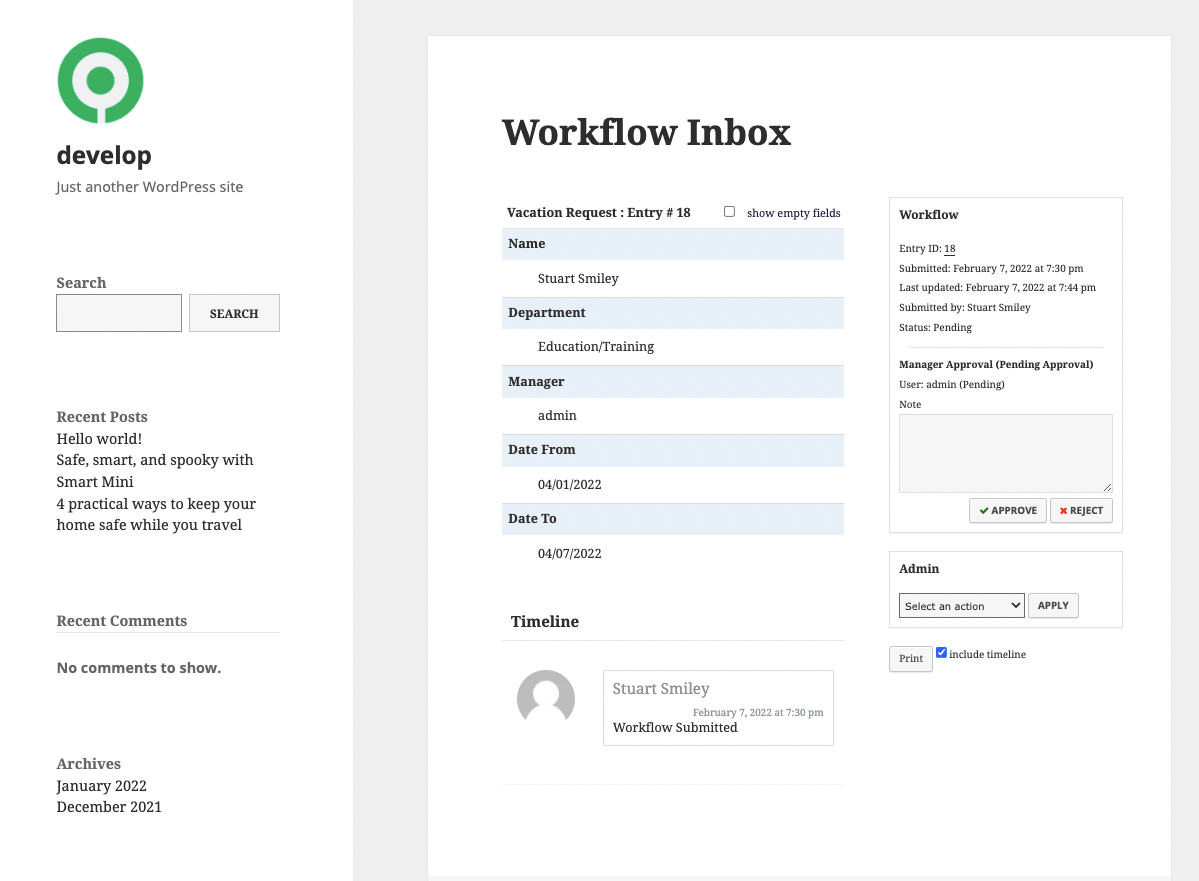
Approval step view
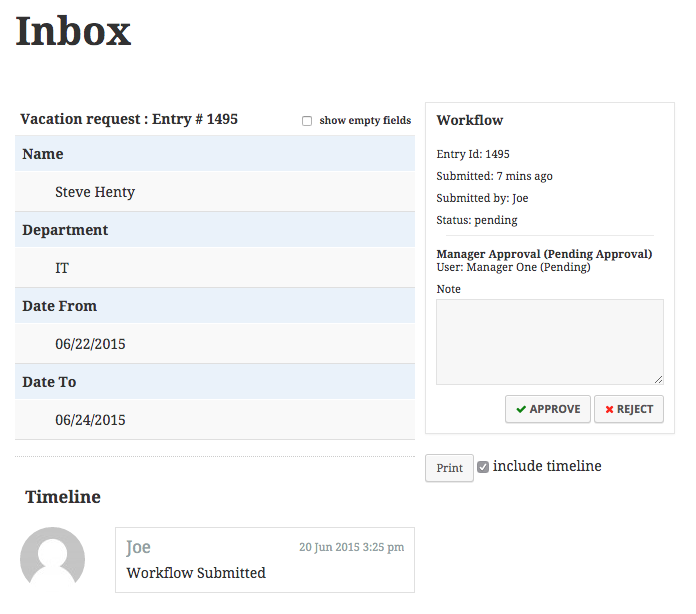
Approval step view on mobile
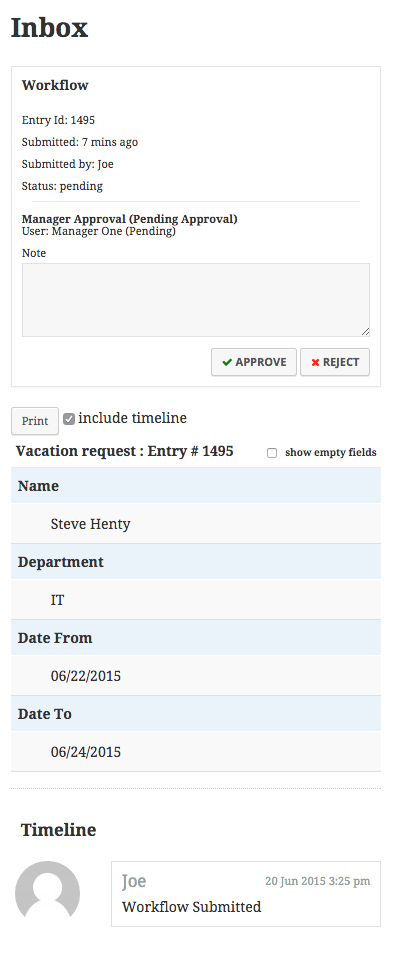
The Status page
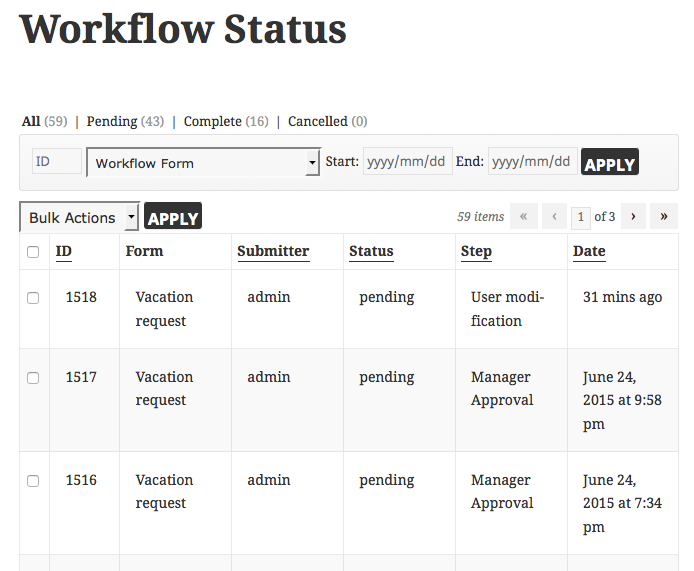
The Status pages on mobile

Advanced Shortcode Attributes
The shortcode supports the following attributes for the inbox and status pages.
Inbox & Status Attributes
| Attribute | Description | Example |
|---|---|---|
| id_column | Show or hide the ID column. Default: true. | [gravityflow page=”inbox” id_column=”false”] |
| submitter_column | Show or hide the submitter column. | [gravityflow page=”inbox” submitter_column=”false”] |
| step_column | Show or hide the step column. | [gravityflow page=”inbox” step_column=”false”] |
| form | Constrain the entries to a specific form ID. Required when using fields. | [gravityflow page=”inbox” form=”1″] |
| title | Set a custom title on list and detail views. | [gravityflow page=”status” title=”Status of Workflow Entries”] |
| timeline | Show or hide the timeline. Default: true. | [gravityflow page=”inbox” timeline=”false”] |
| step_status | Show or hide the step status on entry detail. Default: true. | [gravityflow page=”inbox” step_status=”false”] |
| workflow_info | Show or hide workflow info. Default: true. | [gravityflow page=”inbox” workflow_info=”false”] |
| sidebar | Controls one- or two-column layout. Default: true. | [gravityflow page=”inbox” sidebar=”false”] |
| actions_column | Show or hide the approval actions column (Inbox only). | [gravityflow page=”inbox” actions_column=”true”] |
| due_date | Show or hide the due date column. Default: false. | [gravityflow page=”inbox” due_date=”true”] |
| back_link | Show or hide the “Return to List” link in entry detail. | [gravityflow page=”inbox” back_link=”true”] |
| back_link_text | Custom text for the link. Requires back_link=”true”. | [gravityflow page=”inbox” back_link=”true” back_link_text=”Back to Inbox”] |
| back_link_url | Custom URL for the return link. | [gravityflow page=”inbox” back_link=”true” back_link_url=”/custom-built-inbox/”] |
| legacy | Loads the pre-2.8 static Inbox (no new features). | [gravityflow page=”inbox” legacy=”true”] |
Attributes Requiring Security Settings
These require enabling shortcode security in Workflow → Settings.
| Attribute | Description | Example |
|---|---|---|
| fields | Show specific field columns. Requires form. | [gravityflow page=”inbox” form=”1″ fields=”1,2″] |
| Multi-input example: | [gravityflow page=”inbox” form=”18″ fields=”6.3,6.6″] | |
| display_all | (Status only) Override capabilities and show all entries. | [gravityflow page=”status” display_all=”true”] |
| allow_anonymous | Show entries to all visitors, overriding capability checks. | [gravityflow page=”status” allow_anonymous=”true”] |
Reports Shortcode Attributes
Verified for accuracy; copy/paste errors corrected (missing quotes, typos).
| Attribute | Description | Example |
|---|---|---|
| form | Preselect a form ID. | [gravityflow page=”reports” form=”7″] |
| range | Preselect a time range: last-3-months, last-6-months, last-12-months. | [gravityflow page=”reports” range=”last-12-months”] |
| category | Preselect a report category: month, assignee, step. | [gravityflow page=”reports” category=”step”] |
| step_id | Preselect a specific step. Requires form. | [gravityflow page=”reports” form=”7″ category=”step” step_id=”14″] |
| assignee | Preselect an assignee. | user_id|15 – limit by user ID role|administrator – limit by role email|[email protected] – limit by email |
| display_filter | Show or hide the filter bar. Default: true. | [gravityflow page=”reports” display_filter=”false”] |
Example
[gravityflow page="reports" form="7" category="step" range="last-12-months" step_id="14"]